
Records and Reports
Companies, contacts, transactions, products, and properties must maintain the correct relationships.
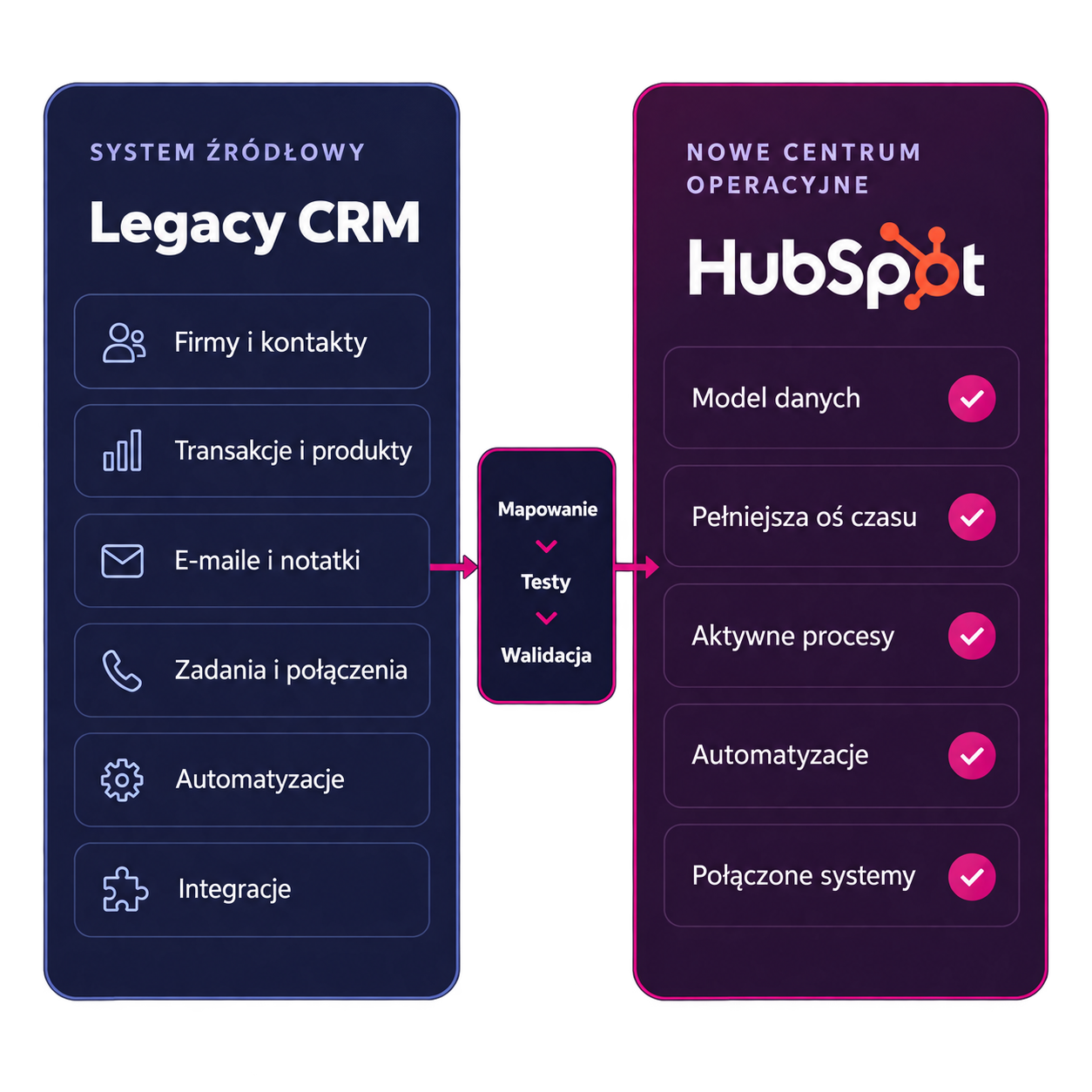
We migrate contacts, companies, deals, relationship history, and active tasks to HubSpot. We also ensure that data relationships, automations, and integrations remain intact so your team can continue working efficiently after the CRM migration.
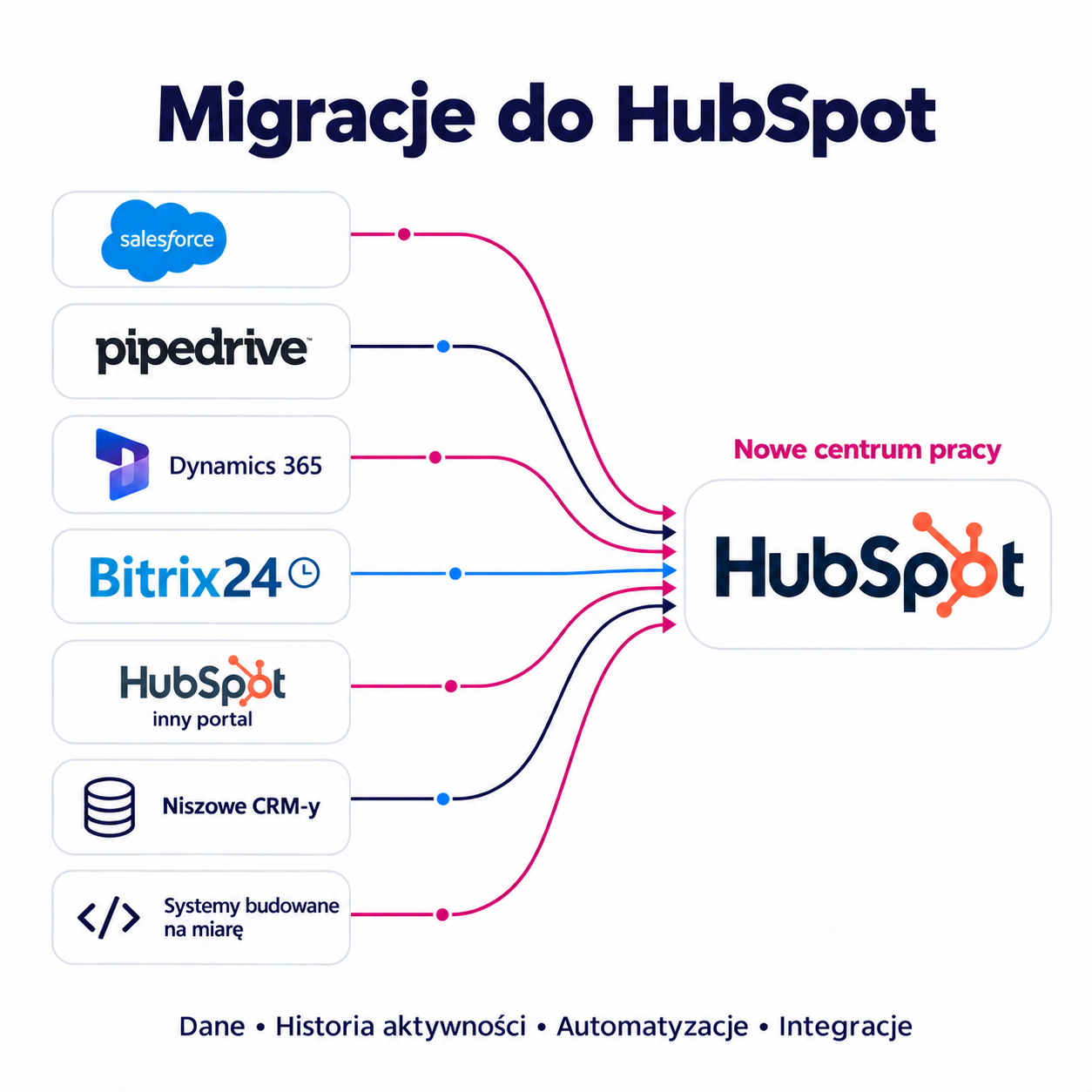
We have experience with integrations and migrations from:
A problem that usually comes to light too late
After a simple import, the team can see the companies and contacts. However, they cannot see the conversations, agreements, or the logic that previously guided their next steps.
Companies, contacts, transactions, products, and properties must maintain the correct relationships.
Formatted emails, notes, calls, meetings, files, and open tasks form the client's context on the timeline.
Stages, lifecycles, workflows, templates, and assignments need to be mapped to the HubSpot model.
Telephony, ERP, documents, calendars, BI, APIs, and webhooks must resume operation in the specified order.
Velmanta's Approach
For each item, we choose one of three paths: migrate it, restore it in HubSpot, or securely archive it.
This ensures that the new CRM doesn’t inherit all the chaos.
The scope determines the outcome
| Area | Data Import | Velmant Operational Migration |
|---|---|---|
| Purpose |
Move the selected records.
|
Maintain the customer context and process continuity.
|
| Timeline |
Most often limited to tabular data.
|
Activity audit, decision: import, restore, or archive.
|
| Automation |
Outside the scope or carried over without review.
|
Redesigned with business logic, tests, and the process owner in mind.
|
| Integrations |
Launched later, often without a target model.
|
Designed as part of HubSpot's new architecture.
|
| Effect |
CRM with records.
|
A system that a team can start using from day one.
|
We combine the ETL approach—extraction, transformation, and loading of data—with process development, user testing, and a controlled cutover.
DISCOVER
What we do: We analyze and catalog data sources, objects, activities, automations, integrations, reports, and risks.
What you’ll get: A report covering all data, processes, and automations to be migrated
DECIDE
What we do: We build a data model, pipelines, roles, lifecycles, and rules: what to migrate, what to recreate, and what to decommission.
What you’ll get: complete documentation of the planned architecture in HubSpot
MAP
What we do: We analyze dictionaries, identifiers, owners, date formats, and the order in which associations are built.
What you’ll get: documentation of fields, dictionaries, and mappings to new fields.
BUILD
What we do: We add properties, objects, views, workflows, integrations, and basic reporting to your data.
What you’ll get: a HubSpot systemready to receive data
TEST
What we do: We run a test batch using representative data to verify counts, relationships, and critical scenarios.
What you’ll receive: A sample dataset in HubSpot to analyze the accuracy of the migration
REMOTE CONTROL
What we do: We train users who are working on the new model, and we collect exceptions before they become a problem after launch.
What you’ll get: a report on exceptions and changes to implement
CUTOVER
What we do: Final import, launch of integration and automation, and a go/no-go decision based on checklists.
What you’ll get: a go/no-go checklist.
HYPERCARE
What we do: Monitoring, adjustments, team support, and a development backlog once the system is live.
What you’ll get: consultations for the team and a backlog of changes to implement.
Why Velmanta?
Every automation undergoes an audit: why it exists, what triggers it, who owns it, and whether HubSpot makes it easier to implement.
From implementation, through integrations and migrations, to training and ongoing support. See how we help you grow with HubSpot in these areas.
Questions to Ask Before You Begin.
We have experience migrating from both popular and niche CRMs, as well as custom-built systems. We also handle migrations between HubSpot platforms. We select the appropriate method based on the data model, export capabilities, and available API.
Companies, contacts, and transactions are just the beginning. The scope can include communication history, current tasks, relationships between records, automations, integrations, and reports. We determine what the team needs to continue working in the new system.
We’re evaluating the feasibility of migrating content, dates, authors, links, and the formatting of emails and attachments. Before beginning the work, we’ll confirm what will be available in HubSpot, what requires a different format, and what should remain in the archive.
We analyze how they work and recreate the necessary logic in HubSpot. We verify triggers, conditions, assignments, and actions. The migration is also an opportunity to streamline processes and remove automations that are no longer needed.
Yes, we include integrations in the migration plan from the very beginning. We review data flows between the CRM and the ERP, phone systems, documents, and other tools. We determine which connections can be used as-is and which need to be redesigned for HubSpot.
We determine the schedule after analyzing the source system and the scope of work. What matters is not only the number of records, but also the activity history, data quality, automations, and integrations. The plan includes preparation, a migration trial, team testing, and the final migration.
The quote is based on the scope and complexity of the project. Transferring contacts requires a different amount of work than migrating communication history, along with process redesign and integration. After our analysis, we present a specific scope, costs, and implementation phases.
We organize the preparation and testing so that the team can continue using the current CRM. For the final transition, we establish a change window, work procedures, and a method for transferring data generated in the meantime. We plan for any potential limitations in advance.
We verify the number of records, relationships, owners, activity history, and key business scenarios. We conduct a migration trial and user testing. The final transition takes place once the agreed-upon acceptance criteria have been met.
Yes. After HubSpot goes live, we monitor the performance of processes and integrations, resolve any issues that arise, and provide support to users. We define the scope and duration of support in the project plan so that the team knows what kind of assistance they can expect after launch.
During a free consultation, we’ll learn about your goals, assess your main challenges, and suggest a sensible path forward—without any obligation to commit to a major implementation.
30 minutes · no obligations · a concrete starting point