
n8n Implementation for Businesses: Automations and Integrations
We build n8n automations that connect CRM, ERP, forms, documents, and other business tools. Data transfer, conditions, and follow-up actions form a single workflow. We establish missing connections via APIs or custom components.
You can commission us to create a new workflow or enhance existing automations. You’ll receive a fully functional solution, documentation, and training for your team on how to use it.
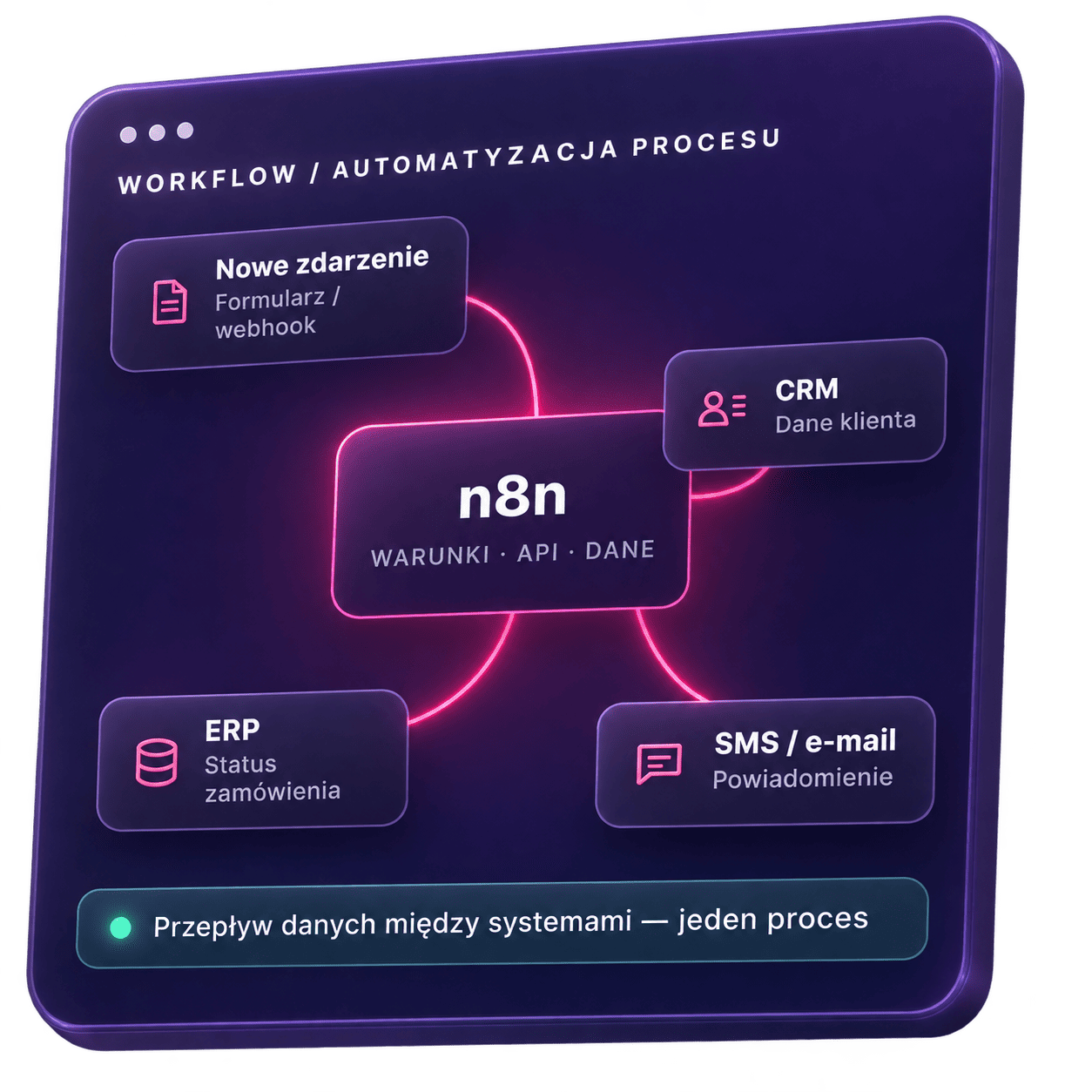
Which systems can we connect to n8n?
n8n can facilitate data exchange between business tools and trigger follow-up actions. Here are some examples of integration areas:
CRM, Sales, and Marketing
Lead transfer, customer data updates, campaigns, and sales tasks.
ERP, Finance, and Accounting
Exchange of information about orders, invoices, payments, and billing statuses.
E-commerce
Integration of the online store with CRM, order fulfillment, and communication with buyers.
Documents, contracts, and e-signatures
Generating documents, approvals, and initiating actions after a contract is signed.
Communication and Customer Service
Email, SMS, phone calls, and tickets linked to the case history.
Tasks and projects
Creating tasks, assigning responsibilities, and updating deadlines.
Databases, spreadsheets, and reporting
Data synchronization, organizing information, and preparing reports.
AI and custom applications
Content processing, using external APIs, and exchanging data with company applications.
This list is not exhaustive. Integration capabilities depend on the operations supported by the system, permissions, and limits. A workflow can be triggered by a user action, a schedule, or a webhook—that is, a notification of an event in another application.
What will we build with no-code, and where will code be needed?
No-code allows you to build automations using pre-built components. Low-code supplements the configuration with custom code. The choice depends on the operations the workflow is designed to perform and how it will be maintained later on.
Pre-built components
We connect available n8n nodes, configure conditions, and set up data transfer. It’s important to verify that a given component supports the required operation—simply having the app in the catalog isn’t enough.
Direct connection to the API
When a ready-made action is missing, we use the system’s API. The project accounts for authorization, data format, limits, and response handling. The documentation describes the connection so that another person can maintain it.
Custom node or code
We create integration nodes used in multiple workflows. The user receives a component with configurable fields, eliminating the need to build each API call from scratch.
For complex rules or data transformations, part of the logic may run in a separate application. n8n is then responsible for connecting it to the remaining stages of the process.
Custom SMSAPI node — an example of an integration developed by Velmanta
For SMSAPI, we’ve developed a node to send SMS messages from an n8n workflow. The user provides the phone number and message content from previous steps. The component handles the API call and can be used in many automations.
Example scenario: SMS after an order status change
A status change triggers a workflow that retrieves the order data and prepares the message. The SMSAPI node sends the message. A separate step can log the result in the CRM.
Separating these actions allows you to change order processing rules without having to rebuild the SMS integration. An API confirmation of message dispatch is not a confirmation of delivery; we design delivery status handling separately, if needed.
Order
Status Change
n8n
Process Conditions
SMSAPI
Sending SMS
Optional next step: saving the result to CRM
What will you receive as part of the n8n implementation?
The implementation includes building the workflow and preparing it for daily use. Before we begin, we outline the deliverables, required access permissions, and the handover process.
Workflow Description
You’ll receive a process overview: the triggering event, required data, operations, and approvals. We also outline the prerequisites that must be met before development begins, such as API access or data preparation.
Automation and Integrations
We build the workflow in the selected environment. We configure the direction of data exchange and the system from which the relevant value originates. The result is sent to where the team handles the matter: to a record, a task, or a notification.
Functional and Error Handling Tests
We test for missing data, connection errors, and the receipt of the same event multiple times. Resuming the process should not create a second order or resend messages. We document how to retry operations, halt the flow, and report a problem.
Documentation and Handoff to the Team
We hand off a description of the workflow, connections, and exception handling. We show which settings can be changed independently and how to verify the change. Access to the environment, editing capabilities, and custom components are part of the handoff requirements.
We need someone familiar with the process, system access, and user participation in testing. The team goes through its tasks before launching the automation.
Where does n8n run, and who is responsible for its maintenance?
n8n can run on n8n Cloud or on infrastructure chosen by the company. This decision affects administration, system access, and costs.
n8n Cloud
In n8n Cloud, the platform is maintained by the provider. The company is responsible for workflow configuration, integrations, and troubleshooting.
Self-Hosted
The self-hosted option gives you control over the environment but requires administration: updates, backups, and ensuring availability. Plan selection takes into account the necessary features and the limitations of a specific deployment.
Access and Activity History
The project includes permissions to view and edit workflows, as well as access to integrations. We log the information needed to manage and diagnose errors, in accordance with the company’s data retention policies.
Monitoring and Maintenance
For the processes covered by the implementation, we configure error detection and notification to the responsible person. Our offer specifies who handles support requests, updates the environment, and adjusts integrations following API changes. Platform maintenance and ensuring workflow correctness require separate tasks.
How much does it cost to implement n8n and maintain it going forward?
We price n8n implementation based on workflows, integrations, and the required operations. Two systems may require minimal configuration or extensive integration—depending on the APIs, data, and the potential impact of any errors.
Development
The price includes analysis, workflows, integrations, testing, and documentation. Custom nodes or additional code are itemized in the quote.
Tools and Operations
We show the costs of n8n, infrastructure, and services used in the process—such as SMS, external data, or AI models—separately. At larger scales, the frequency of runs and API limits become important.
Maintenance and Development
The offer covers incident handling, monitoring, and environmental responsibility. We price future expansions based on the required changes.
FREQUENTLY ASKED QUESTIONS
FAQ
No. n8n can integrate with other CRM systems or handle the process without a CRM. The starting point is the tools and activities your company needs.
It depends on the available API, integrations, or file and event exchange capabilities. The absence of a required operation, permissions, or an appropriate plan may limit the project. We verify this before development begins.
Yes, provided you have the appropriate access rights and are properly prepared. During the handover, we’ll point out the settings you can edit on your own and the areas that require testing. Complex integrations and custom code may require technical support.
Yes. A review of operations, documentation, connections, and the environment allows us to identify necessary improvements and the conditions for taking over maintenance.
From the number of workflows, API availability, the environment, and testing. Additional time may be needed for a dedicated node, migration, or work by the provider of another system.
Let’s see which process should be streamlined first
Describe what you do manually, what systems you use, and where things get stuck. During our first conversation, we’ll discuss your goal, possible approaches, and the information needed for a quote. If a separate process analysis is needed, we’ll outline its scope and cost before starting work.